
Download Explore&Burn – CD burning, DVD burning, file burning, Windows Explorer integration, easy burning tool, lightweight software, simple file burning, burn files, burn CDs, burn DVDs, free burning software, simple burning utility
Overview
Explore&Burn is a straightforward utility designed to simplify the process of burning files to CDs and DVDs directly from the Windows file explorer. The app targets users who value efficiency and minimalism in their digital workflows, particularly those seeking a no-frills alternative to complex burning software. By focusing on core functionality, Explore&Burn eliminates the need for navigating through layered menus or configuring advanced settings, making it ideal for casual users, students, and professionals who frequently transfer or archive data.
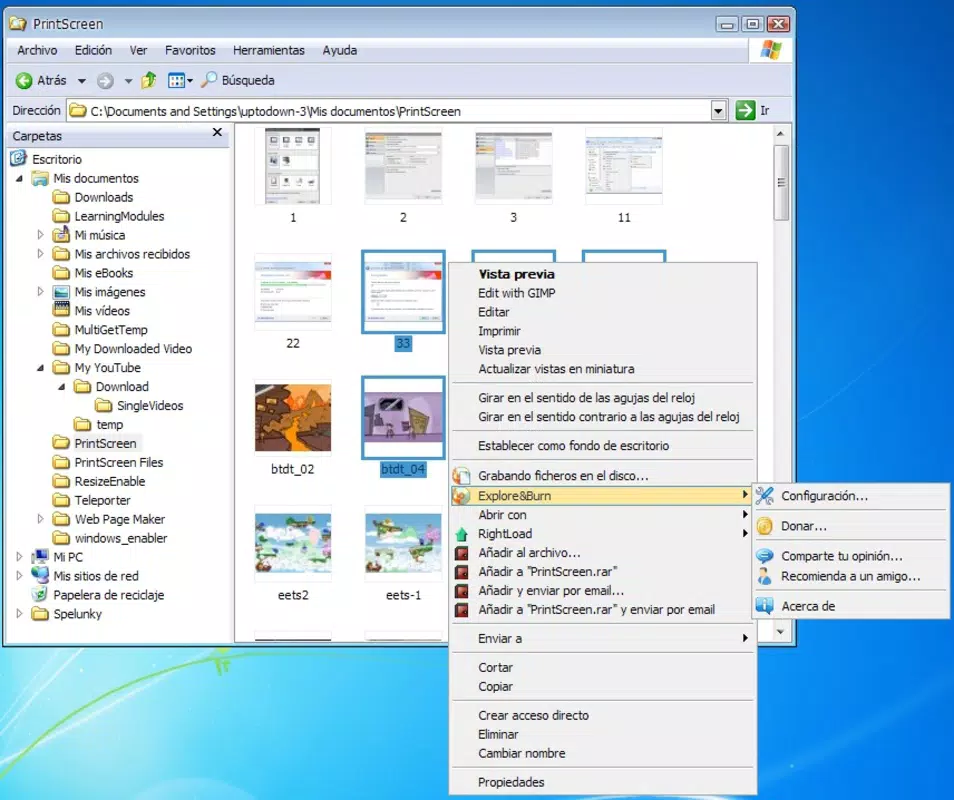
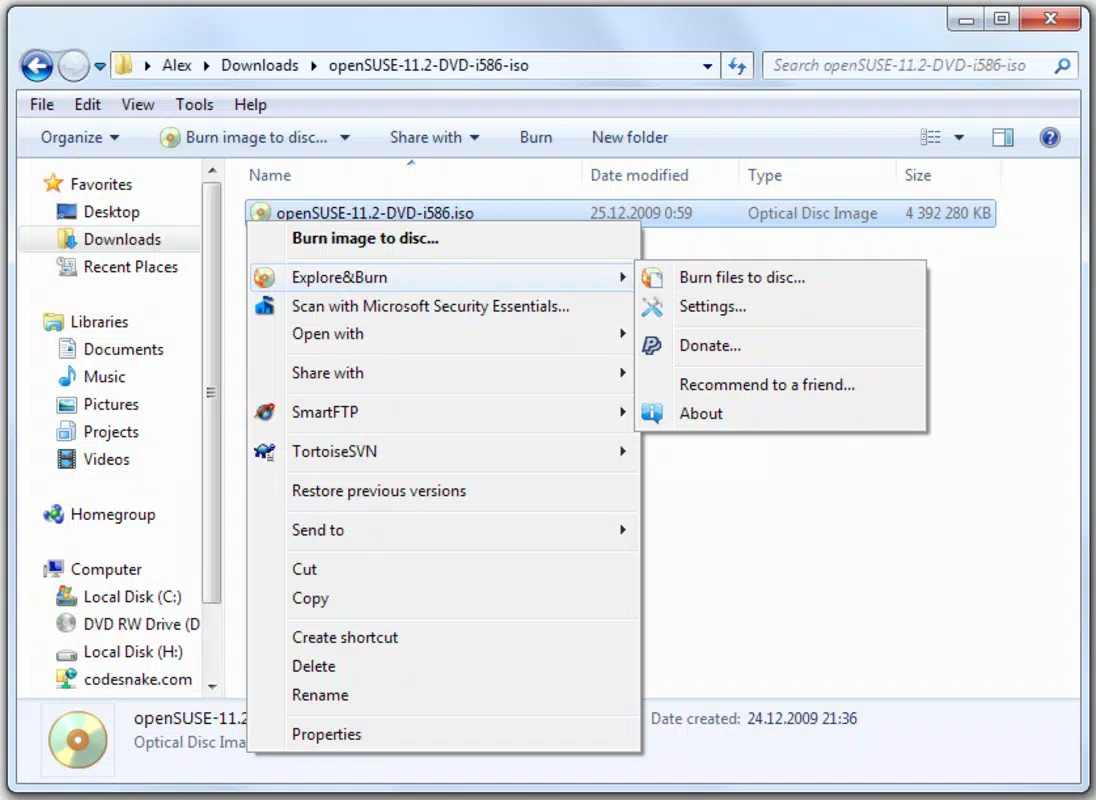
The application operates as a lightweight add-on that integrates seamlessly into the Windows right-click context menu. Once installed, users can initiate a burn session by simply selecting files or folders in File Explorer and choosing the “Burn” option. This direct access reduces steps and time, especially for repetitive tasks like creating backup discs or sharing media files. The app is particularly beneficial for individuals who have been frustrated by the cluttered interfaces of more feature-heavy tools such as Nero or ImgBurn.
Although the developer did not provide additional technical details, the app’s purpose is clear: to serve as a reliable, fast, and unobtrusive burning utility. Its role in the software ecosystem is to fill a niche for users who prioritize simplicity over customization. With a minimal footprint and a free price model, Explore&Burn remains a relevant tool for basic disc-burning needs in a market dominated by more complex solutions.
Key Features & Functionality
- Right-Click Integration: Explore&Burn installs directly into the Windows file explorer context menu, allowing users to initiate burns with a single right-click on selected files or folders. This eliminates the need to open a separate application window.
- Direct File Selection: Users can select multiple files and folders from any location within the file system. The tool processes these selections instantly, streamlining the preparation phase of disc burning.
- Lightweight Design: With a file size of just 1.5 MB, the application loads quickly and consumes minimal system resources. This ensures smooth performance even on older or low-spec machines.
- Focus on Core Functionality: Unlike many burning tools that include features like disc image creation, multi-session support, or audio burning, Explore&Burn sticks to the essentials: copying files to a disc.
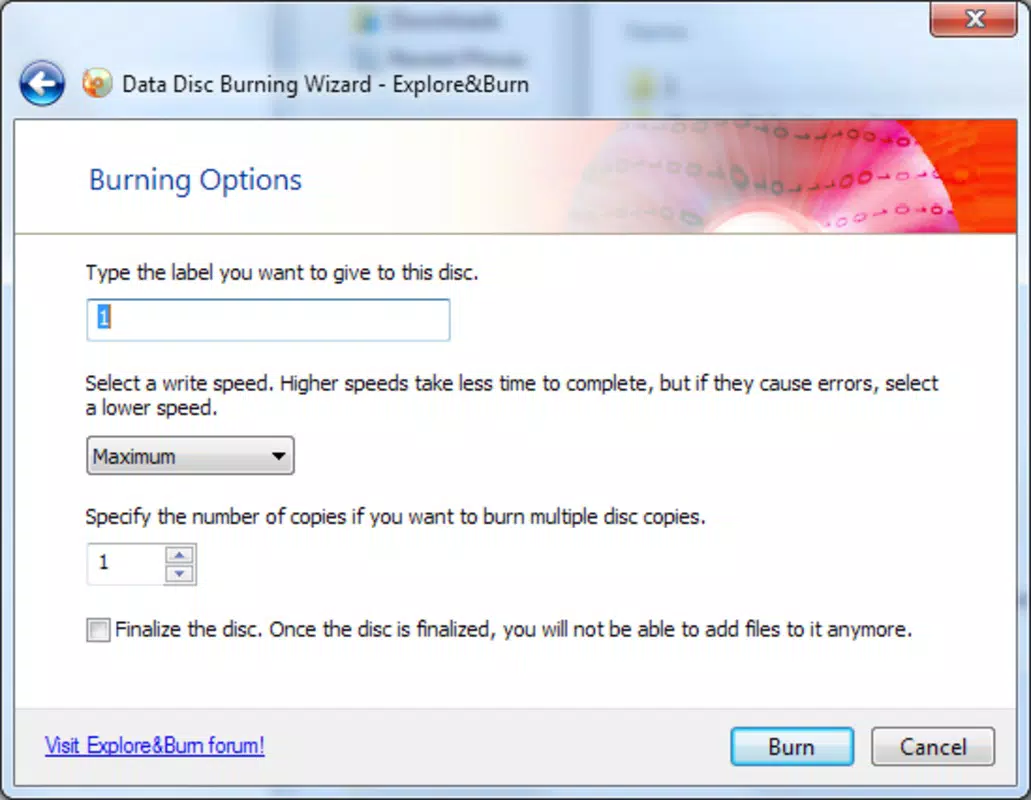
- Simple User Flow: The process from selection to burning is designed to be intuitive. After choosing the target disc drive, the user confirms the burn, and the tool handles the rest with minimal user input.
For example, a student preparing a presentation can select all related documents and videos, right-click, and burn them to a DVD in under a minute. Similarly, a small business owner archiving client files can use the tool to create physical backups without needing technical expertise. The lack of advanced options ensures that users are not overwhelmed, making it accessible even to those unfamiliar with disc burning.
Interface, UX & Performance
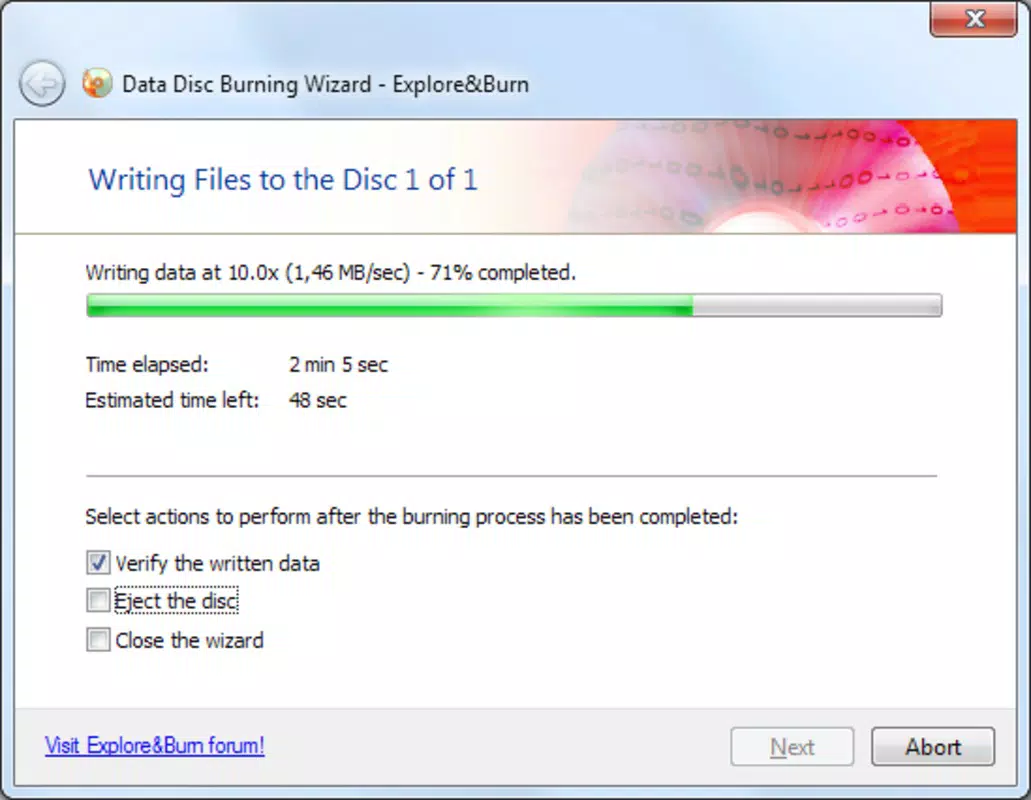
Explore&Burn features a minimalist interface that appears only when initiating a burn, ensuring it does not interfere with the user’s workflow. The dialog window is clean and functional, displaying essential information such as selected files, available drives, and progress status. Navigation is intuitive, relying on standard Windows UI conventions, which reduces the learning curve for new users.
Although the developer did not list formal performance metrics, the app’s lightweight nature suggests efficient operation across various device categories. It is expected to run smoothly on systems with limited RAM or older processors, thanks to its minimal resource consumption. The tool responds quickly after selection, with no noticeable lag during file processing or drive initialization.
Stability appears to be a strength, as the application focuses on a single task without additional background processes. Users are unlikely to experience crashes or freezes during standard use. The absence of unnecessary features also contributes to a more predictable and reliable experience. However, specific compatibility details or system requirements were not disclosed.
Platform Compatibility & Technical Requirements
Explore&Burn is designed for the Windows platform and is compatible with Windows operating systems. The app has a file size of 1.5 MB, making it suitable for systems with limited storage. The software version is 2.1.1, and it was released on June 13, 2016.
The developer did not specify minimum OS requirements or exact compatibility details for different Windows versions. As such, users should verify whether the application runs on their specific system. The lack of version-specific compatibility information means that installation on newer or older Windows editions may vary in outcome.
Pros and Cons
Pros
- Seamless integration with Windows Explorer via right-click menu
- Extremely lightweight at just 1.5 MB
- Free to download and use
- Simple, intuitive interface with minimal learning curve
- Fast loading and execution times
Cons
- No advanced features such as disc image creation or audio burning
- Specific system requirements were not listed
- Compatibility with newer Windows versions not confirmed
- Limited to basic file burning tasks
- Release date indicates it may not support recent OS updates
FAQ
Is Explore&Burn safe to download and install?
Yes, the application is free and does not include malware or unwanted software. It is designed as a lightweight utility with no known security risks.
Can I use Explore&Burn on Windows 10 or Windows 11?
The developer did not specify compatibility with Windows 10 or 11. While it may function on these systems, there is no official confirmation.
Does Explore&Burn support burning audio CDs?
No, the app is focused solely on file burning and does not include support for audio CD creation.
Is there a portable version available?
There is no information available about a portable version. The app requires installation to function.
How often is Explore&Burn updated?
The last release was in 2016. No recent updates have been published, so the app may not be optimized for current operating system standards.
Final Thoughts
Explore&Burn remains a niche but functional tool for users who need a simple, no-nonsense way to burn files to CDs and DVDs. Its seamless integration with Windows Explorer and minimal resource usage make it a solid choice for basic burning tasks. While it lacks modern features and has not been updated in years, its core functionality remains reliable for those who value speed and simplicity over complexity.
It is particularly suited for individuals who have grown tired of bloated burning software and want a lightweight alternative. For basic file archiving, sharing media, or creating backups, Explore&Burn delivers on its promise without distractions.
Download Explore&Burn now


